 Camila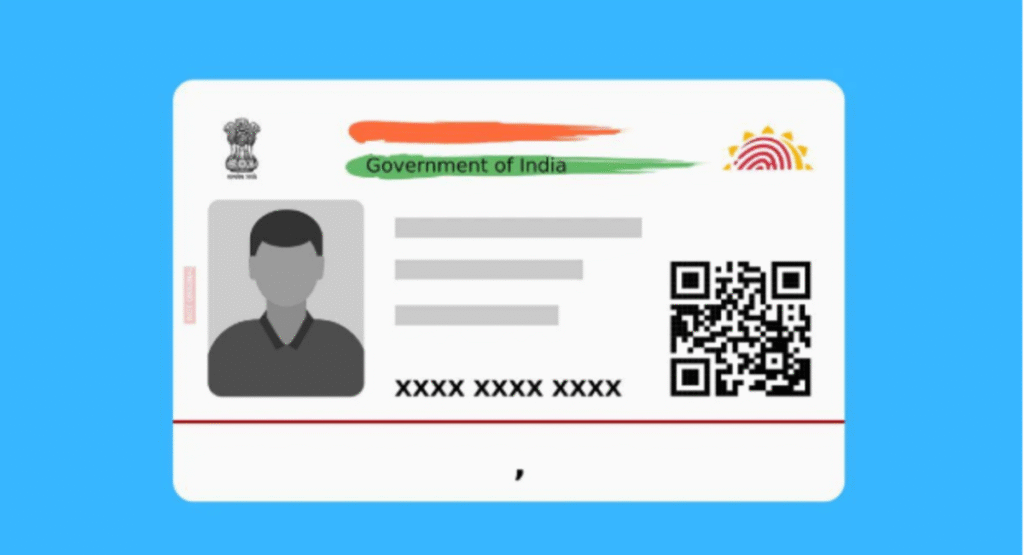
Aadhaar, India’s unique identity card issued by the Unique Identification Authority of India (UIDAI), has become an essential document for Indian residents. Whether for opening bank accounts, filing taxes, or applying for government benefits, Aadhaar plays a pivotal role. The digitally signed electronic version of Aadhaar, called e-Aadhaar, offers an easy and convenient option for accessing your Aadhaar details anytime and anywhere. Additionally, updating your Aadhaar biometric information is crucial to ensuring the accuracy and relevance of your Aadhaar data.
In this guide, we will walk you through the process to download e Aadhaar card online and update your biometrics in 2026. Let’s dive into the details step by step.
What is an e Aadhaar Card?
The e Aadhaar card is the electronic version of your Aadhaar, which contains your demographic and biometric details. It is as valid as the physical Aadhaar card and can be downloaded from the UIDAI website. Being digitally signed by UIDAI, it is secure and can be used for various purposes where Aadhaar is required. For those looking for a quick and safe e Aadhaar card download online, the UIDAI portal makes the entire process simple, fast, and completely free of cost.
How to Download e Aadhaar Card Online?
Downloading your e Aadhaar card online in 2026 is simple and hassle-free through the UIDAI portal. Follow the steps below to complete the e Aadhaar download process:
Step 1: Visit UIDAI Official Website
Go to the official UIDAI website (www.uidai.gov.in). This is the legitimate online platform to access Aadhaar-related services.
Step 2: Click on “Download Aadhaar”
On the homepage, locate and click on the “Download Aadhaar” option under the “My Aadhaar” section.
Step 3: Enter Aadhaar Details
You will be prompted to enter your 12-digit Aadhaar number, Enrolment ID (EID), or Virtual ID (VID). Select the preferred option and input the necessary details.
Step 4: Verify Your Identity
After entering your details, you will need to complete identity verification. Choose the mode of authentication, such as OTP verification sent to your registered mobile number or via biometric authentication (if applicable).
Step 5: Download e Aadhaar PDF
Once you complete the verification, your e Aadhaar card will be available for download in PDF format. You will need a password to open the downloaded file. The password is a combination of the first four letters of your name (in capital letters) followed by your year of birth (e.g., JOHN1989).
Step 6: Print Your e Aadhaar
After opening the PDF, you can print your e Aadhaar and use it wherever needed, just like the physical version.
Read Also: Take Immediate Steps If Your Aadhar Card Is Lost or Stolen
Tips for Downloading e Aadhaar Card Safely
Always use the official UIDAI website:
Avoid downloading your Aadhaar from any third-party or unauthorized websites.
Ensure the security of your mobile number:
Your One Time Password (OTP) is required to verify your identity, so ensure your registered mobile number is secure.
Keep your Aadhaar downloaded file password confidential:
Do not share your e Aadhaar password with unauthorized individuals for safety.
What are Aadhaar Biometrics?
Aadhaar biometrics refer to the unique physical attributes of an individual, including fingerprints, iris scans, and facial photographs, which are stored alongside their demographic information. Biometric data ensures that each Aadhaar number is unique to its holder.
Why Do You Need to Update Aadhaar Biometrics?
Over time, biometric data, such as fingerprints, may change due to factors like aging, injuries, or manual labor. Similarly, a child’s biometrics evolve as they grow up. If your biometric data no longer matches the information in the Aadhaar database, verification may fail, preventing access to important services. Updating your Aadhaar biometric information ensures your data remains accurate and usable.
How to Update Your Aadhaar Biometrics in 2026?
Updating your Aadhaar biometric information can be done by visiting the nearest Aadhaar Seva Kendra (ASK). Here’s how:
Step 1: Locate an Aadhaar Seva Kendra
Visit the official UIDAI website and use the “Locate Aadhaar Enrolment Centers” option to find an Aadhaar Seva Kendra near you. Make sure it offers biometric update services.
Step 2: Book an Appointment (Optional)
Most Aadhaar Seva Kendras allow users to book appointments online for convenience. Use the appointment scheduling service on the UIDAI portal to avoid long queues.
Step 3: Carry Required Documents
Although biometric updates typically don’t require physical documents, ensure you have your Aadhaar number or Aadhaar card for reference. For child biometrics updates, carry the original Aadhaar card and a school ID or birth certificate. Whether it is a routine or first-time Aadhaar biometric update, keeping these documents handy ensures a smooth and hassle-free experience at the Aadhaar Seva Kendra.
Step 4: Visit the Center
Go to your chosen Aadhaar Seva Kendra and inform the officer about the biometric update required. You may need to provide fingerprints, iris scans, or updated facial photographs.
Step 5: Authenticate the Update
The officer at the Aadhaar Seva Kendra will verify your biometric information. The updated data will then be securely uploaded to the UIDAI servers.
Step 6: Collect the Acknowledgement Slip
Once the update is complete, collect the acknowledgement slip containing your Update Request Number (URN). Use this number to track the status of your biometric update on the UIDAI website.
FAQs about E-Aadhaar Card Download Online and Aadhaar Biometric Update
1. Is the e Aadhaar card legally valid?
Yes, the e Aadhaar card is legally valid and equivalent to the physical Aadhaar card.
2. How often should I update my Aadhaar biometric information?
Adults usually do not need frequent updates unless their biometrics have changed significantly. For children, Aadhaar biometrics must be updated at the age of 5 and 15 years.
3. Is there a fee for downloading e Aadhaar online?
No, downloading your e Aadhaar card from the UIDAI website is free of cost.
4. What is the fee for updating Aadhaar biometrics?
As of 2026, Aadhaar biometric update fees may vary. Check the official UIDAI website for the most accurate and current fee information.
Conclusion
In 2026, downloading e Aadhaar card online and updating biometrics remains a simple yet vital process for Indian residents. Whether you want easy access to your Aadhaar details with the digital e Aadhaar card or need updated biometric data to ensure seamless service access, following these steps will help you achieve your goal. Always use the official UIDAI website and authorized Aadhaar Seva Kendras for these services to maintain security and reliability.
By keeping your Aadhaar details updated and accessible, you can ensure a hassle-free experience whenever required. Make sure to take advantage of the e Aadhaar’s convenience and regularly monitor your biometric data for any discrepancies. Stay secure, stay updated, and enjoy seamless access to Aadhaar-based services in 2026!